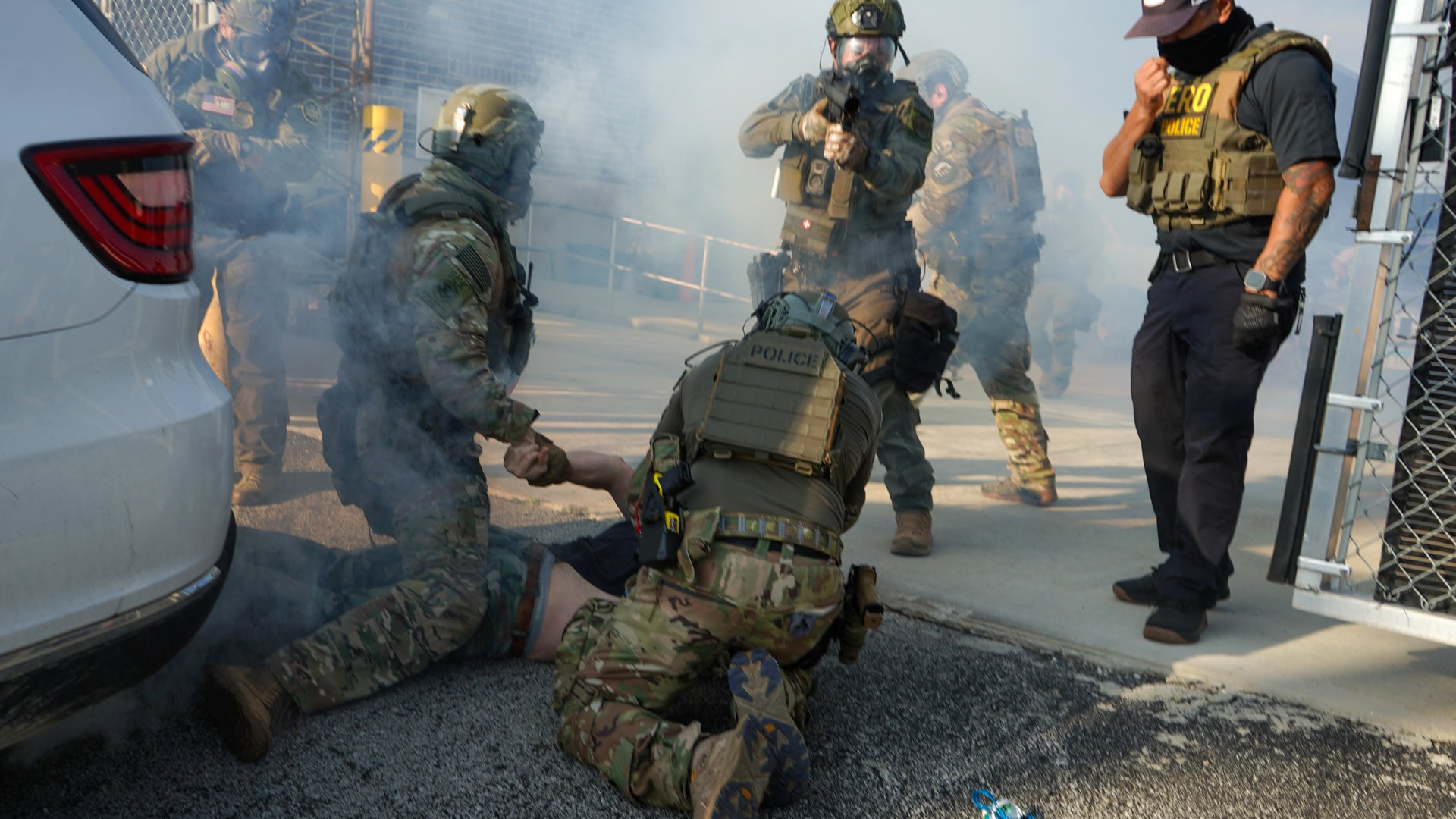
Following the deaths of Renée Nicole Good, Keith Porter, and Alex Pretti at the hands of federal officers in late 2025 and January 2026, you’ve likely seen guidance for journalists on filming federal officers in the field.
Most of it is aimed at those in newsrooms with resources, like company gear, or even safety training or consultants. Yet many independent and freelance journalists are working on the ground right now without such institutional support.
So, as we’ve reflected on the impact of the massive immigration enforcement surge in Minnesota and the increase in incidents of violence against journalists covering these operations throughout the country, we spoke with two independent journalists about how they approach filming federal officers.
First, let’s talk about the film settings, tools, and in-field security tactics those journalists are using in the field today. Then, let’s discuss additional digital security considerations that intersect with those choices. We hope this review is helpful to journalists who are considering or doing this kind of field work.
What are journalists doing on the ground?
Sean Beckner-Carmitchel, a freelance photojournalist who produces his own content and has a loyal following on Bluesky, has spent the past few years documenting what he calls the “occupation” by federal agents across the country, particularly their activities on city streets. Beckner-Carmitchel emphasized that “there’s no established protocol that’s best for everyone to follow. We are all figuring it out as we go along, and we’re all comparing notes.”
He uses a press pass when in the field and tells us that before he starts filming agents in action, he tends to announce his presence, show his credential if he is close enough for them to see, and move slowly and with intention while maintaining some distance, without impeding footage collection.
He also notes that if there are rapid responders or other groups of citizen activists on the scene, he tries very hard to maintain a distance from them to distinguish himself and his actions from theirs. He respects what they are doing, but says it’s important to make it “as clear as possible that what I’m doing is not the same thing that they’re doing.”
While the First Amendment applies to both activities, journalists documenting federal agents is a distinct act, with different goals and risks than those of the constitutional observers and protesters who may also be filming.
Talia (Jane) Ben-Ora is an independent “movement journalist” who covers protests and has her own sizable audience on Bluesky. She also shared insights from her time covering federal agents, including Operation Metro Surge. Ben-Ora’s work focuses on documenting the state’s response and how it treats people on the front lines of civil rights actions.
In contrast to Beckner-Carmitchel, Ben-Ora does not always visibly wear credentials when covering protests and civil unrest. She says “I do carry a press card and identify as press, but there are some settings where that’s either not needed because the situation is not volatile or it could risk causing me to be targeted.” It’s true that a credential can be protective, depending on your threat model and context, but there is also a chance that identifying as press could put one at higher risk of retaliation from bad actors.
If you’re debating whether or not to visibly identify as press in the field, our friends at RSF have a guide where they dive into the pros and cons of press passes and visibly marking yourself as press.
Using gear, protectively
Beckner-Carmitchel takes video with his phone and uses a DSLR camera for still shots. Importantly, when he is ready to shoot, he makes sure that at least one camera lens is on the agents at all times, even if it means filming with his phone in one hand and taking photos with his camera in the other.
Agents have gotten verbally aggressive with him, and he sees continuous footage as not only a thorough journalistic record but also a layer of protection for him. It’s also a legal record, if a confrontation were to occur.
Both journalists recommended using the buddy system whenever possible in the field. The more eyes and cameras on the activities, the better. Our friends at Prism have some great tips on further operational and physical security tactics for this scenario.
In the field, Ben-Ora always has her digital cameras (a Canon EOS R6 Mark II and a Nikon Z 50) and iPhone, and many backup items (like extra batteries and SD cards) in a vest with extra pockets that also contain safety gear.
In addition, she removes all apps with sensitive accounts (e.g., email, banking) from her iPhone, except for her social media accounts, for which she has two-factor authentication enabled on her password manager, Bitwarden. She has also disabled Face ID and biometrics.
Beckner-Carmitchel has his camera (a Sony A7 III) and two phones, both iPhones, one for contacts and one for filming. In addition, he also carries a microphone and at least two external spare batteries for all his devices.
Using caution with livestreaming, uploading
While activists and other members of the public frequently livestream from the scene, both journalists emphasized that they do not. “I usually do not want people to know where I am at the exact moment,” explained Beckner-Carmitchel. Ben-Ora also cautioned against livestreaming unedited footage that could unintentionally be used to identify protesters or vulnerable people.
They both recommend, however, filming activities horizontally, to capture as much of the periphery as possible, and to set your phone to the highest resolution possible.
Once their footage is captured and they’re in a safe place, a distance from the action but still out in the field, both journalists review, edit, and upload to their social media accounts.
Ben-Ora avoids using any cloud syncing (“I don’t mess with iCloud at all,” she notes) and instead uses an SD card reader that plugs directly into her phone so she can upload and edit using iMovie. Beckner-Carmitchel disables auto-syncing and manually uploads the data he wants to keep to the cloud.
After they leave the field, both back up all their footage to external solid-state hard drives. Beckner-Carmitchel uses an SSD that comes with built-in hardware-based encryption. Ben-Ora encrypts her drive with Disk Utility on her computer. Once all the raw data is backed up to the drives, she says she erases her SD cards.
What does this all mean for digital security recommendations?
Risk assessment
Before entering the field, consider your specific risk assessment. The most basic form of risk assessment is answering simple questions like: What are you trying to protect, and from whom?
- Protect footage from seizure: Take steps to ensure that if a device or storage medium is seized by authorities, it contains minimal unreviewed, sensitive, or high-quality data.
- Prevent harm to sources and protesters: Review and edit footage before publication or syncing data to cloud services to avoid inadvertently identifying vulnerable people.
- Maintain operational security: Control the release of footage that identifies at-risk individuals and ensure critical communication tools remain operational, even in a dangerous situation.
Phones in the field
Using a mobile phone for filming in the field requires specific security considerations.
- Consider a secondary device: Consider using a secondary phone dedicated solely to filming, if possible. If you have to take your personal phone into the field, remove sensitive apps, as Ben-Ora recommends. You can always redownload them later!
- Limit phone access and biometrics: We agree with both journalists on disabling biometrics (like Face ID) when in the field and using a strong, long, unique passcode for device access. You should also consider setting your phone to auto-lock quickly. If you’re an iPhone user, you can film without unlocking your phone.
- Reduce connectivity and location data: Many people think of “airplane mode” as a way to keep their location data private, but phones have a lot of ways to track you. Disabling features like Wi-Fi and Bluetooth may not be enough. Consider your risk assessment and balance that with the trade-offs of restricting your connectivity if you need to post to social or communicate in the field. (Read our guide about your phone’s location data.) Unfortunately, it is almost impossible to turn off all location tracking on a functional phone. If location data is ultimately of great concern and you must bring your phone into the field, consider shooting footage with a digital camera and keeping your phone off, wiped of nonessential apps and data, and inside a Faraday bag, except in case of emergency. This, too, still poses risks. For many, locking down your devices with our other tips may be sufficient.
- Maintain account hygiene: We agree with Ben-Ora about removing unnecessary personal apps with sensitive accounts on them (email, banking) from any phone you are using in the field. For social media accounts that need to remain, use strong passwords — ideally stored in a password manager, like her recommendation, Bitwarden. Enable two-factor authentication using a verification code app, and consider logging out of all accounts before entering a potentially volatile area.
- Enable stricter device security settings: For iPhone users, consider Apple’s Lockdown Mode to limit the functionality of the device, which may increase its resistance to sophisticated forensic attacks or data extraction attempts (e.g., via Cellebrite). This is different from Android’s “lockdown” setting, which simply disables some device features, including biometrics. Google’s Advanced Protection does provide more useful protections and auto-toggles to “on” a lot of built-in security features.
- Secure your communications: Like both Ben-Ora and Beckner-Carmitchel, we use end-to-end encrypted communications tools. We recommend Signal (and lock it down). Audit your chats to delete old or potentially compromising content before going into the field. Also consider restricting notification settings so that your messages do not appear on your lock screen. For emergency contacts, consider setting your preferred emergency contacts within your phone’s settings (on Android or iPhones) so that they are accessible even when your phone is locked.
Data storage and management
Journalists must consider the security implications that come with the convenience of cloud services, as well as the security of local and external encrypted storage for sharing data and for backups.
- Manual upload vs. auto-syncing: When in the field, it could be advantageous to disable auto-syncing to the cloud (including services like iCloud or Adobe Cloud). Footage should be reviewed before it is uploaded to ensure it does not compromise sources. If a cloud service like iCloud must be used, manually upload only the data that you select. If you use an iPhone, Apple Advanced Data Protection is highly recommended, as it provides end-to-end encryption for your iCloud data.
- SD cards: There is no such thing as an encrypted SD card compatible with a standard camera. The process of off-loading data to a more secure device (like a phone or encrypted drive) and then erasing the SD card as soon as possible is a critical workflow to prevent the seizure of primary footage. Note that until you write over the storage on your SD card with new footage and photos, the old files are still technically recoverable.
- External drives: Both journalists back up data to external solid-state hard drives for data redundancy. While there are some interesting hardware-encrypted options on the market, like the one Beckner-Carmitchel uses, we haven’t vetted them and quality may vary. So our recommendation for maximum protection against seizure is that these drives must be encrypted using the computer’s local encryption utility (e.g., FileVault on Mac, BitLocker on Windows) or another encryption tool like VeraCrypt. When you set the passcode or passphrase for your encrypted drives, make sure it is long, random, and unique!
Correction: This article was revised to clarify practices used in the field by Talia (Jane) Ben-Ora.
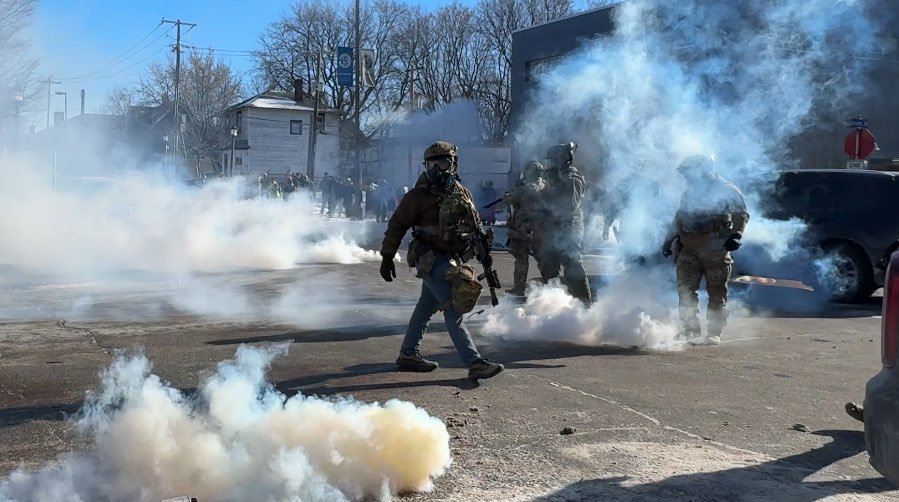
Federal agents launch tear gas to disperse a crowd gathered in Minneapolis on Jan. 24, 2026, to mourn Alex Pretti, who was killed earlier that day.