Welcome to “Ask a security trainer,” the column where the digital security training team at Freedom of the Press Foundation (FPF) answers your burning questions at the intersection of journalism and security. Submit yours here! Let’s jump right into this week’s question.
Dear DST,
During a raid of a Washington Post reporter’s home as part of a Pentagon leak investigation, I understand the FBI seized their devices. Realistically, what could have been done to protect the information on these devices?
Signed,
Data Prepper
–
Dear Prepper,
We’ve been speaking to a good number of journalists who have taken note of this unusual raid and are asking what can be done to minimize risk. Alongside more common events like theft, or simply losing your device, there are things that journalists can do if they anticipate someone might snatch their phone or computer.
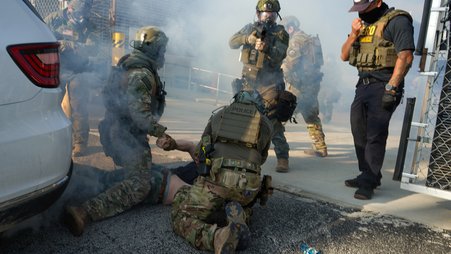
In this case, the devices — including a cellphone, Garmin watch, and both personal and work laptops — likely had a good deal of privileged information about work entirely unrelated to the leak investigation. Such searches run afoul of the Privacy Protection Act, which nearly always bars the government from raiding homes of journalists and the offices of media organizations.
A judge has blocked investigators from searching data seized from the reporter, and we don’t yet know where this case goes. But, at a minimum, these invasive searches amount to a dragnet, and prevent the Post reporter from reaching out to many people whose contact information was stored on both personal and work devices.
It’s important to note that this case is extremely unusual, and there are no foolproof ways to address unpredictable events like this. But now that it’s happened, let’s talk about what journalists might want to think about if they are concerned their devices could be lost or snatched.
First, think through your risk. Do you have specific cause to be concerned about someone getting ahold of your device? Your personal identity or your beat may impact the likelihood for concern. Most people should be more worried about their phone or laptop being simply lost or stolen, rather than seized in a raid. Regardless, there are a lot of things you can do to minimize risk to your most privileged data.
It’s always a good idea to keep an inventory of your most sensitive data. Take a moment to think about it. What information would be intolerable to let someone else access without your consent? What are your “crown jewels”?
Once you’ve identified the crown jewels, you’ll want to know exactly where they are stored. What might you have on your phone, computer, USB thumb drives, external hard drives, or on paper that you consider most important to protect?
You might have some very good reasons for keeping sensitive records, such as to protect against liability for your newsroom. But you have a choice about how to store it more safely.
We always recommend using disk encryption to scramble information on your devices for anyone who doesn’t have the password.
Whether you have an iPhone or Android device, simply using an up-to-date version of your operating system will ensure you have disk encryption enabled. Windows users should enable disk encryption with BitLocker. If you have a Mac, use FileVault.
It’s important to note that disk encryption works best for protecting your device before you type in your password and unlock the device. If you are concerned about someone trying to pull data from your device, the safest thing to do is simply turn it off when you don’t need it. We know many raids occur before dawn, so if this is a concern for you, get in the habit of turning off your encrypted devices before bed and when you don’t need to use them.
We recommend protecting your phone and laptop with a strong, unique password, ideally one generated with a password manager. Using a long, unique password will make it much harder for someone to guess it, or to break in with reused credentials that may have been leaked in previous publicly accessible data breaches.
If you have USB devices with sensitive data you’d like to encrypt and password-protect, check out our guides to learn more.
And since anyone in your physical space can pick up a notebook and read its contents, consider digitizing and storing this information in an encrypted format as well, before getting rid of any paper copies.
You may also find that some messages on your device don’t really need to be there indefinitely. Signal, the end-to-end encrypted messaging app, allows you to automatically delete your messages both for individual contacts or by default. Learn more from our guide to locking down Signal.
It’s not always possible to predict when someone might get ahold of your device. But anticipating when your devices might be snatched — perhaps in a touristy city known for pickpocketing or at an airport — gives you a meaningful advantage.
These are just starting points — there’s so much more you can do. If you feel at elevated risk, guest contributor Nikita Mazurov unpacks even more things journalists can do to protect devices and information in anticipation of device seizure. Read all about it.
Best,
Martin Shelton